Showing posts with label google. Show all posts

2.02.2012

Does this stuff matter? Depends on who you ask

If you use any of Google's services that require a username and password you've probably seen a little heading inserted by the company noting "We’re changing our privacy policy and terms. This stuff matters." Did you click on the link to learn more? Do you think this stuff matters?

The gist of this new policy change is that Google wants you, the user, to agree to one privacy policy for a wide range of Google services and products (think Gmail, YouTube, Google+) so that the company can pool the data you provide and "treat you as a single user across all [their] products." The company claims that this streamlining of permissions is a move towards "[their] desire to create one beautifully simple and intuitive experience across Google.” Sounds great, right?

Well, some folks are a little spooked about all this data-sharing. After all, the aggregation of all of this personal data could end up forming one of the largest databases in the world of its type (with Facebook a main competitor). We ought not forget that Google's main and most lucrative business model is targeted advertising. So, while it may end up that our experience across the Google suite is enhanced, with programs and apps learning from each other about us, we'll also certainly be subjected to even more precisely targeted advertising.

And then there's the thorny issue of not being able to opt out. You have two options: 1) say OK and keep using Google services in "always-signed-in" mode; 2) Export your data from Google services and accounts, delete it from Google's servers, move on to another service. You can't tell Google to maintain the current personal information firewall between services.

Google claims that there nothing untoward about its new move. Critics claim there are some major privacy implications. Yet another commenter seems to think that maybe its not so big a deal, seeing as Google already "knows more about [him] than [his] wife."

Sources consulted for this post:

http://www.google.com/policies

http://www.zdnet.com/blog/btl/googles-new-privacy-policy-the-good-bad-scary/67893?tag=content;siu-container

http://www.zdnet.com/blog/identity/epic-files-foi-request-over-first-google-privacy-report-to-ftc/197

http://www.washingtonpost.com/business/economy/google-privacy-policy-is-subject-of-backlash/2012/01/25/gIQAzwZCRQ_story.html?tid=pm_business_pop

http://www.dispatch.com/content/stories/business/2012/01/29/google-ready-to-step-up-its-snooping.html

http://articles.cnn.com/2012-01-27/tech/tech_web_google-privacy-clarified_1_google-chrome-browser-privacy-tools-search-data?_s=PM:TECH

http://thehill.com/blogs/hillicon-valley/technology/207395-lawmakers-request-briefing-on-google-privacy-changes

http://adage.com/article/digital/google-embarks-unification-effort-mine-data/232407

(This post was completed with the assistance of Dominika Gergeley '13.)

1.19.2012

The Internets are back!

If you used a web browser yesterday you probably noticed that things were a little wonky. Wikipedia blacked out its entire English site in protest of two bills (known as SOPA and PIPA) under consideration in Congress. Reddit and BoingBoing followed suit, and Google blacked out its logo and posted a link to an infographic explaining the harm SOPA and PIPA could do. Facebook remained online with no apparent sign of protest, yet its users certainly took notice: reactions ranged from annoyance to vocal support.

The SOPA and PIPA acronyms stand for "Stop Online Piracy Act" and "PROTECT Intellectual Property Act" (with PROTECT a nifty little acronym for "Preventing Real Online Threats to Economic Creativity and Theft"). These sound fairly innocuous, I suppose, but Wikipedia and other opponents of the bills fear that their passage would fundamentally damage the structure of the Internet. So we had what we had yesterday: an unprecedented blackout/protest coordination among major Internet sites.

The sites' strategy seems to have worked, at least in the short term. By the end of the day yesterday, support for the bill in Congress had weakened. And today, though all is back to normal, people are still talking about these bills: by my informal tally, approximately 150 articles about SOPA/PIPA have been published in the past 3 hours. If Wikipedia and friends wanted to make waves, they appear to have succeeded, but are well aware of the well-connected opponents they face.

More about this:
"PROTECT IP / SOPA Breaks The Internet" (a video on Vimeo, by Fight for the Future)
"Put down the pitch forks on SOPA" by David Pogue (New York Times)


(This post was aided by research by Dominika Gergely '13.)

10.27.2011

On the Gmail Hack: You Do Not Want This to Happen to You - James Fallows - Technology - The Atlantic


Learn how to best protect yourself from losing your digital everything.

Full article.

8.24.2011

Google Doodle Honors Argentine Author Jorge Luis Borges | PCWorld


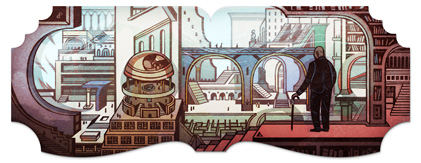
The latest mysterious Google doodle honors what would have been Argentine author Jorge Luis Borges' 112th birthday. Aside from being a pioneer in the genre of magical realism, Borges also imagined some of the foundational concepts of the Internet, such as "hypertext," long before the dawning of the digital age.

Full story: Google Doodle Honors Argentine Author Jorge Luis Borges | PCWorld


6.20.2011

Google to Make British Library Archive Available Online - Tech Europe - WSJ


The long tail gets longer:

The British Library today announced its first partnership with Google, under which Google will digitize 250,000 items from the library’s vast collection of work produced between 1700-1870.
Nevertheless, [a representative of the Library] expressed slight frustration that the project will not go beyond 1870: “What we really want is the 20th century, but we Europeans are often locked out of our own culture by copyright laws. So, for instance, the First World War poets, which are pre-1923 and therefore out of copyright in the USA, are still in copyright in Europe. There is an absurdity there.”
Nor, he noted, was the issue of copyright restricted to Europe: “Early adopters of digitization were American college libraries that got themselves in a bit of trouble with copyright. The 1870 date we’ve chosen is very conservative and none of the European libraries has released anything that is still in copyright. The idea of the British Library and things that are still in copyright is way too rich for our blood.” [Excerpted, emphasis added]

Read the full article @ Tech Europe - Wall Street Journal: Google to Make British Library Archive Available Online

6.08.2011

Mind Control & the Internet by Sue Halpern | The New York Review of Books


I'm plodding my way through Lanier's "You Are Not A Gadget," so I really appreciate its contextualization in this review. A passage that struck me:
The [Google] search process, in other words, has become “personalized,” which is to say that instead of being universal, it is idiosyncratic and oddly peremptory. “Most of us assume that when we google a term, we all see the same results—the ones that the company’s famous Page Rank algorithm suggests are the most authoritative based on other page’s links,” [author] Pariser observes. With personalized search, “now you get the result that Google’s algorithm suggests is best for you in particular—and someone else may see something entirely different. In other words, there is no standard Google anymore.” It’s as if we looked up the same topic in an encyclopedia and each found different entries—but of course we would not assume they were different since we’d be consulting what we thought to be a standard reference.

Among the many insidious consequences of this individualization is that by tailoring the information you receive to the algorithm’s perception of who you are, a perception that it constructs out of fifty-seven variables, Google directs you to material that is most likely to reinforce your own worldview, ideology, and assumptions. Pariser suggests, for example, that a search for proof about climate change will turn up different results for an environmental activist than it would for an oil company executive and, one assumes, a different result for a person whom the algorithm understands to be a Democrat than for one it supposes to be a Republican. (One need not declare a party affiliation per se—the algorithm will prise this out.) In this way, the Internet, which isn’t the press, but often functions like the press by disseminating news and information, begins to cut us off from dissenting opinion and conflicting points of view, all the while seeming to be neutral and objective and unencumbered by the kind of bias inherent in, and embraced by, say, the The Weekly Standard or The Nation. [emphasis added]


Read the whole thing at The New York Review of Books:

Mind Control & the Internet by Sue Halpern


5.10.2011

Google Maps | Mississippi Flooding Spring 2011


Just in case you'd managed to forget recent frightening natural phenomena, Google Maps has you covered.

2.07.2011

Gmail Priority Inbox


Do you get lots of email? Gmail has introduced this new "priority inbox" feature that you can train to sort the important from the less important. I've been using it for a couple weeks and am finding it really useful.

(And don't worry, if you'd rather use the standard inbox, you still can even after activating the priority feature.)

9.14.2010

Review: Barnes & Noble's nook e-reader

The Library recently acquired Barnes & Noble's nook e-reader. It is the main competitor against Amazon's Kindle in the e-ink e-reader market. (Click on the images to enlarge.)

[Figure 1] Homescreen.

The nook is an interesting gadget and it did some things very well -- and some things not very well at all. I put it to the academic test by trying to replace two volumes of Congressional committee testimony and about a half dozen PDFs that I'm using for a current research project. Would this be the device to free me from my man-bag?

[Figure 2] The nook's wi-fi trying to connect.

Web-browsing: thumbs down

The nook, to its credit, allows the user to get on the open web with a browser (of sorts). However, it always wants to do it. I would turn it on and soon see the screen above. “You’re not a computer, I just want to read,” I’d think, but the nook really wanted to connect and would anxiously bring my attention to its connectivity (or lack thereof).

The web browsing experience really isn’t anything to shout about either: the user simultaneously surfs on both the LCD touch screen and the not-epileptic-friendly e-ink display. (Actual navigation is by the touchscreen, the e-ink display is not touch-sensitive.) Simply put, browsing the web on the nook wasn’t quite right. In fact, like a number of nook’s “features,” it was frustrating and I barely completed a basic Google search before saying “forget it.”


[Figure 3] A nook screensaver featuring Homer.

E-ink display: thumbs up

This was my first exposure to an e-ink device, and prior to handling the nook I was a vociferous e-ink skeptic. “I just have my doubts about how much people are going to want to look at a black-and-white screen,” I would say. (Indeed, I still feel that way about all-in-one devices such as any trying to compete with Apple's iPad.) However, the e-ink display does live up to the hype when it comes to eye fatigue. As a special collections librarian I look at LCD computer screens, books and manuscripts all day, so when I get home reading is not at the top of my to-do list, often because of eye fatigue. (Full disclosure: I’m also nearsighted and prefer to read without glasses, which I rarely do at work.) But there are times when I either must or want to read after work, and a physical book or printout is the only way I’ll go. (Read a scholarly article in PDF format on my home computer after working all day? No thanks. It just doesn’t happen.) So when I got a chance to try after-work reading on the nook, I gave it a shot, and I was really impressed: I had a couple marathon (for me) sessions of about 3 or 4 hours after reading all day at work, and I never suffered aching eyes. The “refresh” --the flash of black to white when you turn the page -- of the e-ink screen is only really annoying when using the web browsing feature or impatiently navigating the “My Library” or “My Documents” menus. When engrossed in a text the refresh is not only not bothersome, but something I failed to notice entirely after a couple pages. Some people won’t believe that, but I’m not the first reviewer to say that.


PDFs: thumbs down

But what initially intrigued me about the nook – and eventually disappointed -- was B&N’s claim that the nook would handle PDFs. In my mind, this is an absolutely essential feature for the working professional, academic, and contemporary college student -- a make or break feature. So I put the nook through its paces, downloading (via PC) a number of articles from JSTOR, a commonly used academic database. The transfer from PC to nook was easy – no complaints there (aside from the fact that I had to connect the nook to my PC with a wire to execute the transfer) . But once I opened up the PDFs on the nook, things went downhill very quickly.

Basically, I wanted to see if the nook could save me some printing, and save my back from carrying around reams of paper (and volumes of books). Granted, not everything that went wrong with the nook’s reading of PDFs is B&N’s fault; surely much of the problem lies with the initial creation of the PDFs by the periodicals, their parent company, and the quality control implemented (or not) by JSTOR when the mega-database slurps up the files. Anyway, so much of the nook’s handling of PDFs seems to depend on the properties of the specific PDF, and these properties differ from journal to journal, perhaps even volume to volume or issue to issue and, it would figure, from database to database.

But still: promise me the moon and I’ll expect the stars, you know? If the thing is supposed to handle PDFs, then I’d better be able to read PDFs. Period. Some PDF files allowed the nook to re-size the text to legible size, and some simply did not, leaving them minute and best read with a magnifying glass (figures 4 and 5).

[Figure 4] That's my thumb.

[Figure 5] A PDF whose font size could not be adjusted.

Other PDFs were so flexibly manipulated by the nook that I could distort them beyond readability, i.e. when I super-sized the text (Figure 6).


[Figure 6] A more flexible PDF.
[Figure 7] This PDF was actually able to adjust text size reasonably well. Here, text size is small.
[Figure 8] Here the same PDF is shown with medium text size. Not perfect, but at least it did something.

This also happened with many free books acquired via Google Books, making them much less desirable products to use (which saddens my librarian heart). Many if not most of the free books displayed poorly on the nook. OCR mistakes and poor page-formatting were apparent. Sometimes the scan just wasn’t that good and you had to live with it. So, in the case of “free” books on the nook, you get what you pay for. The best-reading books on the nook are those formatted for e-reader devices, and of course those are the ones you pay for, silly consumer.

For instance, I bought an e-reader-formatted Complete Shakespeare for $4.79. Not a bad price for all of the Bard, and it was pretty readable mostly, except for when I increased the text-size and blew the page-formatting all out of whack, making the iambic pentameter run over the end of lines into some free-verse-looking mess. (That’s not a knock to free verse poetry, of course, it’s just an affection for iambic pentameter.)


Usability: thumbs down

The nook was the first device I had personally handled that featured any iteration of Google’s Android operating system, so I was pretty excited to take a test drive. But I was not excited for long. Aside from the fact that the LCD screen for navigating the device was way too small and really did not play well with my adult-male-sized hands, I found the OS sluggish and its navigation unintuitive. Several times I would detour from reading to utilize a feature such as bookmarking, highlighting, or note-taking (all good ideas, by the way), accidentally hit the wrong “button” on the LCD, find myself thrown back to a home or menu screen, and then spend a number of minutes just trying to get back to the page I’d last been reading. Not exactly convenient. Of course there’s much blame to be placed on user-error, but when a relatively tech-savvy person finds himself snarling “No! That’s not…oh wait…argh!” at an electronic device, surely some blame lies with the device.

I handed the nook to a friend and after giving her a quick tour, her immediate response was “I don’t see old people using this.” Quite right. The “reading” part of the nook is great, and if you get sucked in to a (well-formatted) book (that you paid for) you might just forget how unhelpful the computer inside is. But the nook, with the small LCD screen and weak Android OS, makes it very difficult to get to that point of reading (which is the point of owning this thing, right?) where you relax and sink into the story on that milky e-ink screen.

I don't think this is the last we'll see of B&N or the nook, but future versions will need a serious OS upgrade and some redesign of the touchscreen to make it a market winner.

5.05.2010

Google to Launch Digital Books by Early Summer

Books - U Chicago Library

The e-book market just got more interesting - Google is entering the fray this summer.

Read about it at the Wall Street Journal.

4.09.2010

Palaeoanthropologist discovers ancient ancestor, aided by Google Earth

Professor Lee Berger, a palaeoanthropologist from the University of the Witwatersrand, Johannesburg, recently discovered a new species of hominid, Australopithecus sediba, almost two million years old, with the help of Google Earth.  According to the Official Google Blog, Berger used Google Earth to map known caves and fossil sites and then used the tool to find almost 500 previously unidentified caves and fossil sites.  One of these newly identified fossil sites led to the discovery of Australopithecus sediba.

Read the announcement from the University of Witwatersrand
Read the Google Blog Post

3.29.2010

Young Learners Need Librarians, Not Just Google (Forbes)

In this article in Forbes magazine, corporate lawyer Mark Moran chronicles his experiences with research and attributes his success to 'skilled trainers' [i.e. librarians]. He discusses studies done to determine how students benefit from librarian intervention in learning how to collect and evaluate information.

Read the web article here: Young learners need librarians, not just Google

3.11.2010

Does Google Own Us?

Thanks to SearchEngineLand for sharing this video from the show “Hungry Beast” that airs in Australia on ABC.  The video provides an overview of the types of information Google is collecting about us and how that information is being used.


Read the post on SearchEngineLand

2.18.2010

Integrating translation into Google Goggles (coming soon)

Google is working on a new feature in Google Goggles that will allow you to take a picture of text and translate it into another language.  For example, you could take a picture of a road sign or poster in a foreign language and translate it into your own language.  What is Google Goggles you ask?  It is a tool that allows you to search the Internet using pictures taken with your mobile phone (currently only available on Androids).

Read Google's Announcement
Learn more about Google Goggles

2.05.2010

World War II Imagery in Google Earth

Yesterday Google added aerial images of European cities during WWII to Google Earth.  Here's a clip from Google's LatLong blog:

"Many of us have heard stories, read books and watched films which show the many impacts of WWII across the world. Today we're giving you another way to understand this period in time - by exploring a new set of historical aerial images, taken over European cities during World War II, via the historical imagery feature in Google Earth. They can now be compared directly to images from the present day."

Read the full announcement

1.26.2010

Google Wave Versus the Rest

LifeHacker posted a feature-by-feature comparison table highlighting the differences between Google Wave and other online collaboration tools (email, IM, google docs, wikis, and forums) last week, which offers a good overview of the functionality included in Google Wave.


Read the article

1.13.2010

Cyber Attack on Google

"Google is releasing information about a “highly sophisticated and targeted attack” on their corporate infrastructure that occurred last month.... The company says that a minimal amount of user information was compromised, but has come to the alarming conclusion that the attacks were targeting the information of Chinese human rights activists."

Read the full story on TechCrunch

1.06.2010

1 Million Free Books - Coming soon to an e-reader* near you.

"Spring Design, the developers of the Alex Reader, a two-screen digital reader featuring both b&w E-Ink and full-color LCD screens, has reached an agreement with Google to provide access to more than a million public domain digital books online or through download. The newly developed Alex Reader runs on the Google-developed Android OS and offers full web browsing functionality through the color screen and the Android Web browser."

Full story at Publisher's Weekly.

(*No word yet on what this one will cost.)